Hi All,
Up to now we are using the PowerShell scripts to export and import all the certificates during the migration from one server to other servers.
This time we will use one simple solution that is there in the MMC console .
Open the MMC console from run
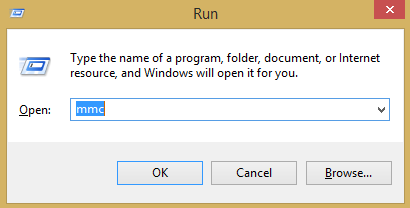
And select certificates

Go to any store that you want to import in another servers and select all the certificates and select export option.

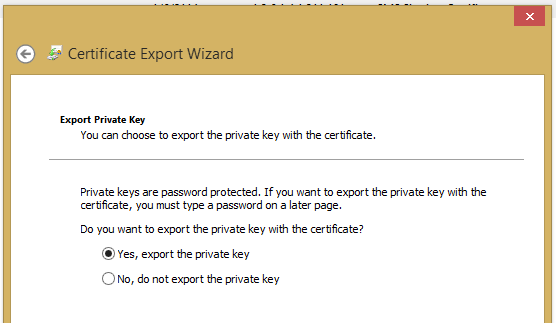
Select below properties

Put the password

Give the location to export the certificicate

You have exported the PFX file, and go to destination server and select the store you want to import and import the certificate. That’s it.
Regards,
Visit site: http://www.sqlblogging.com
Send an Email: sqlblogging


 SQL BLOGGING