Hi Folks,
Today we will discuss about transactions in SSIS (sql server integration services)
Transactions in SSIS allows you to commit the group of data flow tasks (or) allows you to roll back the group of dataflow tasks as single logical unit of work
Transactions supported by every executable (i.e. package level, task level, container level)
For this 2 properties have to be set for executable
1. Transaction option
2. Isolation level
Transaction option is of 3 types
1. Not supported: executable will not support transactions
2. Supported: executable will join the transaction if transaction exists.(default)
3. Required: executable join the transaction if exists else it creates new transaction
Process:
If any tasks are executed, then tasks are executed under transaction if transaction option for executable is set to supported.
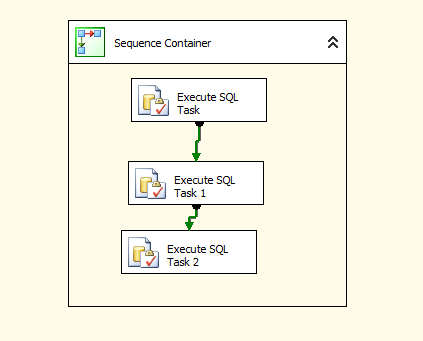
Suppose sequence container having 3 sql execute tasks and it is sequence container is having transaction option =required
Isolation level =serilizable(default).
Then it creates new transaction when executed the sequence container.
All the tasks in sequence container is having transaction option set to supported means these asks run under transaction created by sequence container.
If the tasks having transaction option set to Required, it will join the existing transaction , if no transaction is there, it will create new transaction and executes
Example:
Create 3 tables with names as
1.Customer
2.Email
3.Vehicle
Syntaxes:
create table customer(custno int,custname varchar(10))
create table email(custno int,emailid varchar(20))
create table vehicle(custno int,vin char(5) not null,model char(3))
Where VIN-Vehicle identification number
Open Business intelligence development studio and click on file->new->project->integration services project
Place sequence container and drag 3 execute sql tasks like below
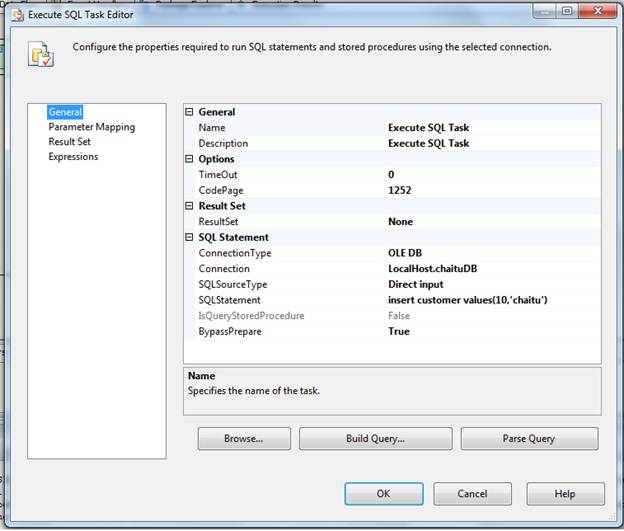
Double click on first execute sql task and set the properties
In general page, connection type =OLEDB
Connection: select new connection, a window occurs, specify the data source information give server name and database information and test the connection
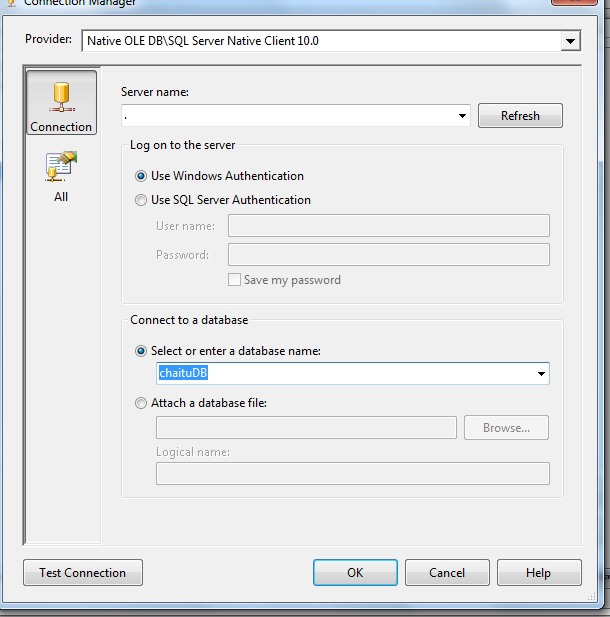
Click OK and we got below screen
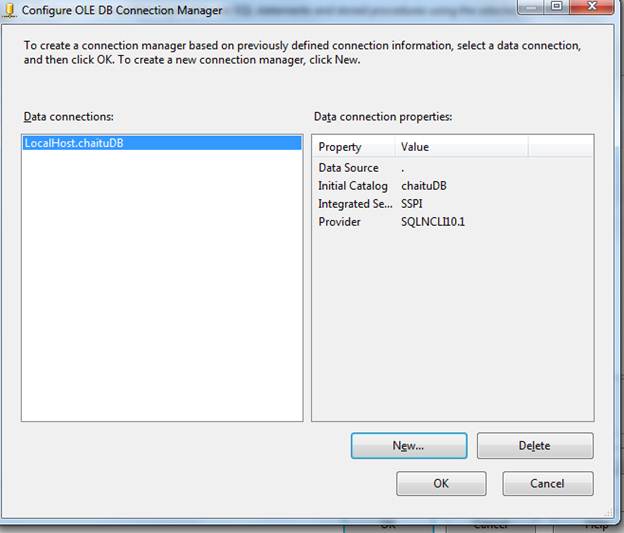
General page,
Sql source type=Direct input
Sql statement=insert customer values(10,’chaitu’)
This is looks like below.
Same can be done for other execute sql tasks with same connection but different sql statement
Set Execute sql task 1 Properties

Set Execute SQL task 2 properties
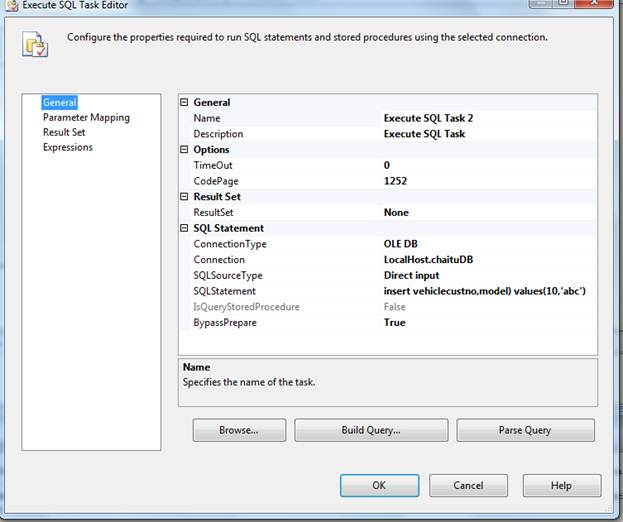
insert vehiclecustno,model) values(10,’abc’)
We have passed values to the insert statement for 3rd task but the table is having not null column. We are not passing information to that column. So this task must fail.
Transaction in SSIS makes use of the Distributed Transaction Coordinator (MSDTC) service which must be running in services. MSc. MSDTC also allows you to perform distributed transactions e.g. updating a any RDBMS database. If you execute an SSIS package that utilizes the built-in transaction support and MSDTC is not running, you will get an error message like the following:
Error: 0xC001401A at Transaction: The SSIS Runtime has failed to start the distributed transaction due to error 0x8004D01B "The Transaction Manager is not available.". The DTC transaction failed to start. This could occur because the MSDTC Service is not running.
Execute the package by pressing f5
We got below error like this
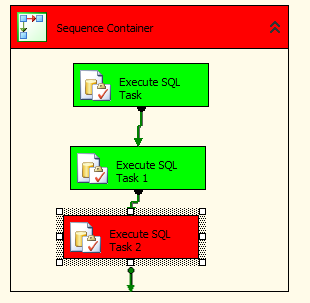
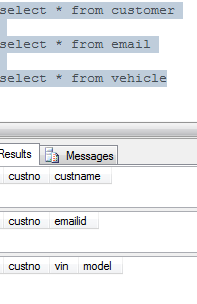
First two execute sql tasks are success. 3rd task is failed. So transaction is roll backed. Because these 3 tasks are running under single transaction
To implement package scope transactions, place another sequence container move execute sql task 2 to that sequence container. Go to properties window of package by clicking f4
Transaction property: required
Isolation: serilizable(default)
Sequence containers properties are:
Transaction property: Supportes
Isolation: serilizable(default)
It will be looks like below

Execute the package by clicking on F5
It will be failed as 3rd task is failed.
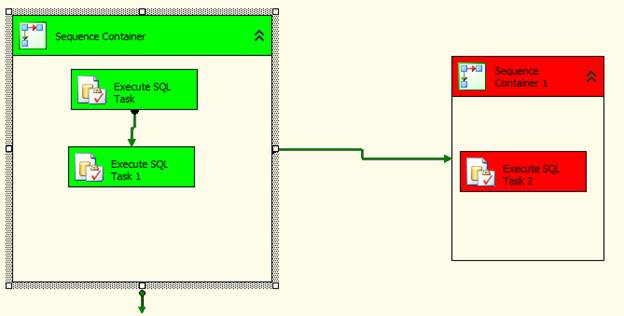
So first and second task inserts data, that is roll backed.
This is all about transactions in SSIS.
Thanks for viewing.
Regards,
Chaitanya,
Webiste : https://mssqlbuzz.wordpress.com/
To Send Mail : mssqlbuzz


 SQL BLOGGING
Superb explanation .. 🙂
LikeLike
Thanks
LikeLike
well explained …very clear…thanks dude
LikeLiked by 1 person
excellent example ……..
LikeLike
excellent example ……..
LikeLike
Hi Dude , thank you well explained …i have a requirement to execute three DFT tasks in sequence , if anyone fails all three has to rollback and capture the error records . SSIS says ..cant be use redirect row option on transactions .. Can you please suggest me how we can do error handling
LikeLike
Very Use full Dude..Thanks
LikeLike
Thanks
LikeLike
Simple .. yet Crystal clear explanation ! Good Contribution !
LikeLike