Hi All,
We need the event ids to be generated to event viewer for troubleshooting purpose. SCOM agent recognizes the event id in event viewer and raise the alert. It generally happens in distributed systems.
We can accomplish this task in Sql server using 2 ways.
1. Raise error with log
EX: RAISERROR (‘Test Severity 16’, 16, 1) WITH LOG
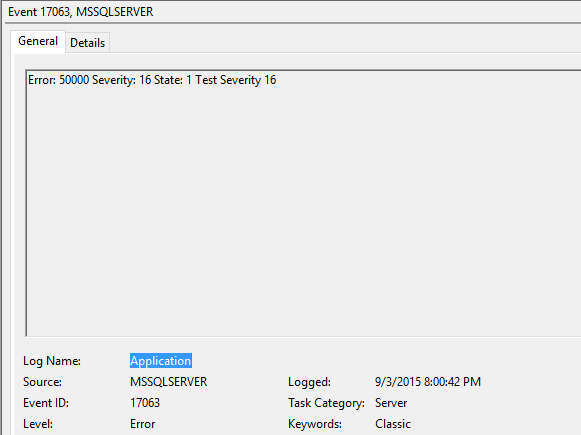
2. xp_logevent event method
Ex : EXEC master.dbo.xp_logevent 60000, ‘Test message’, informational

Issue with above methods are they only raise the error numbers in the event viewer and they can’t do custom event ID in event viewer.
Whatever the event ids that you were seen in above screen shots are related to generic Sql server events.
In order to raise the custom events , as of now use the power shell to raise. Below is the PowerShell snippet for that.
write-eventlog System -source Server -eventid 12345 -message "I am a custom event log message"
Regards,
Chaitanya


 SQL BLOGGING