Create a new User defined data base.
We can do these object creation using
1. SSMS
2. Through t-SQL Script
We will go through the first SSMS option
Go to run and type SSMS and log in to sql server instance and
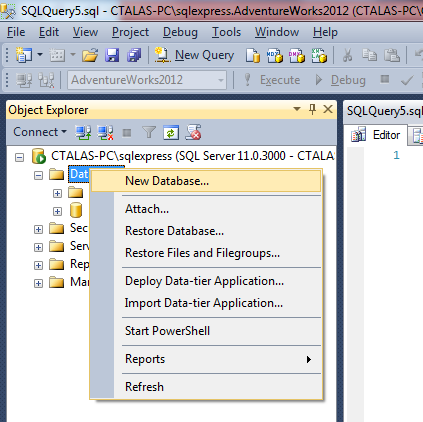
Right click on databases options, you will get like below
We got below window
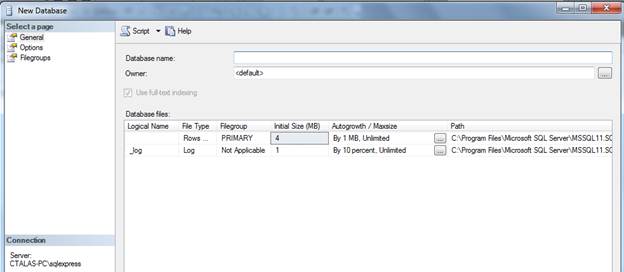
Type Database Name, you will see the logical name also changed as per our given Name
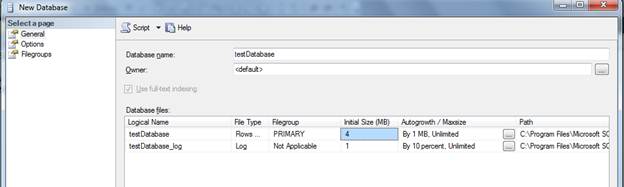
But we can change the logical name, it’s not a problem

Click ok. It will create the database.
We can also do this database creation using the below command
create database testdataBase_script
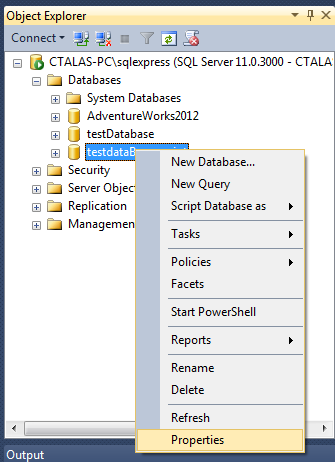
If we go to properties of newly created Database, by right click on Database and select options
And you go to files option, you will have below window
You will have the files information for this Database
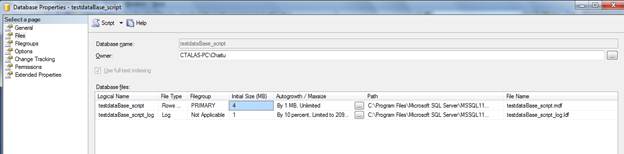
Logical name of the file is unique to the Database.
You can have the same file name in the other database
Location:
By default, if you did not specify the location, it will create the file in the sql server system databases locations
C:Program FilesMicrosoft SQL ServerMSSQL11.SQLEXPRESSMSSQLDATA
There is the difference in the size of the files that were created though the command and UI
Whenever we are creating the database, we will give the name of the file.
Location, initial size, maximum size, auto growth
Initial size:
What is the size of the file when it was created?
Maximum size: we can specify this in the below window using UI

You will get the below window

Auto growth: if the initial file size is full, then sql server will allocate the specified MB as per option setting.
We have below set below option

If initial log size is 4 MB, and it is full, then sql server will allocate 10 MB,
If that is also full (14MB) then it allocates another 10 MB.
If 94 MB is full, then it will allocate 6 MB, as the max size is 100 MB.
If 100 MB is full, then it will allocate the data to any other files in the same file group.
If no files are there in the same file group in which this file was exist, then sql server will not allow the User to perform the write operations and it is used only for read operations.
If we have done the update also, then sql server will not allow that operation as sql server needs the memory for internal fragmentation
Create a new database banking _system.
We can change the initial size of the file whenever creating the database.
As the new Database creation is done from Model DB template, go to model DB, then give initial size as below
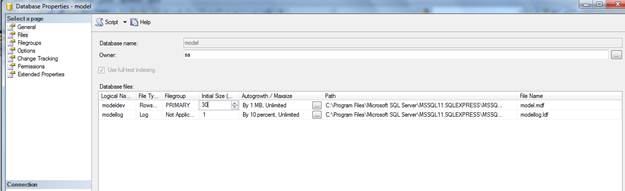
We can create the different files for the database
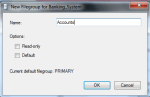
If we need the new file groups, click like below
-
- image018
-
- image017
Give the file group name and Click OK.
Like that, add the new files for the Banking_System
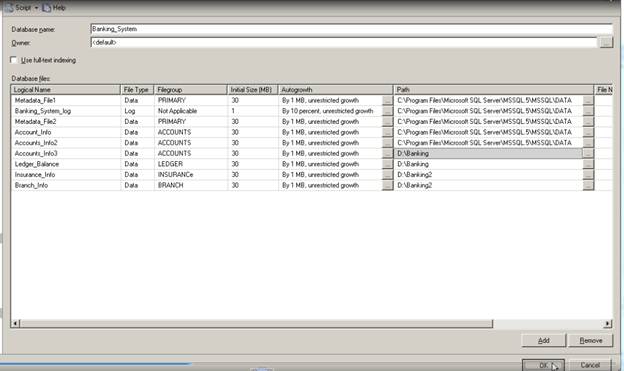
In the path, we given the directory names, but that Directories should exists in the System.
Sql server will not create the directories.
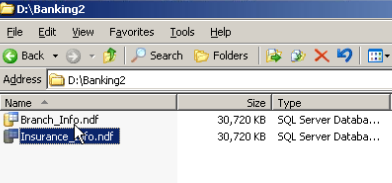
Click on OK, we will have database created and files are on the directories like below
Limitations of creating Files and file groups through UI

We can have the primary file group files in different folders other than system databases defined folder
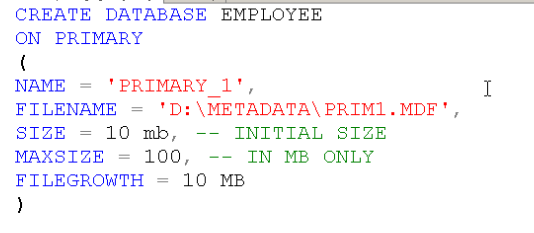
You can create the file group that have .MDF file also using the script
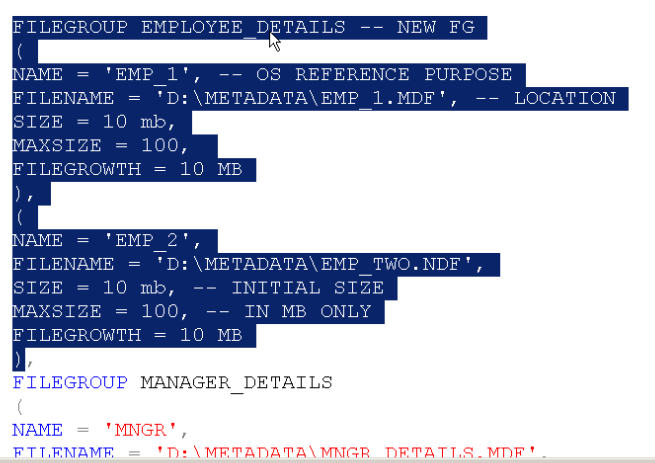
We cannot give the name for the primary file group as it is default one
Below statement will add the file to the default file group i.e. primary
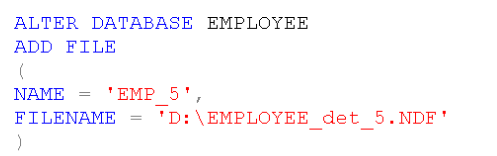
We can add the file to file group like below

A filegroup can be there with no files also.
Later we can add the files

Create one database University using the below script
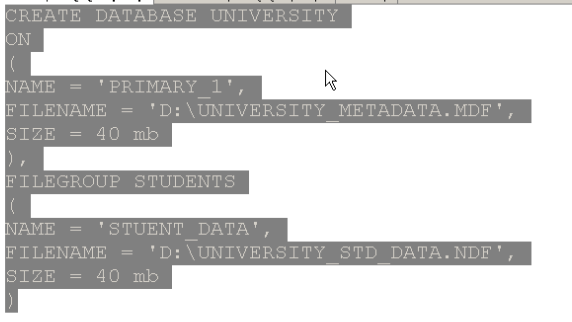
I did not mention the log file info, but we have the log file created for this database
Why it was created is due to model database
Please check and let us know if you have any concerns on this.
Thanks for viewing this.
Regards,
Chaitanya
Visit site: http://www.sqlblogging.com
Send an Email: sqlblogging@outlook.com
Twitter: @chaitanya512

 SQL BLOGGING