Hi folks,
Below is the installation of sql server 2005 and you need to go to servers folder, you have to follow the below instructions
We can click on the setup.exe for windows server and the splash.hta for Linux and MAC servers

Microsoft strictly told to use sql server in windows server for more security
Click on the set up and you will get the below screen
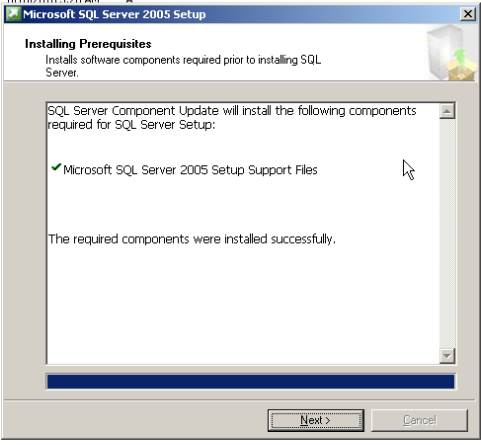
The above phase will install the pre requisite for sql server means .Net frame work
And it will be installed by this set up automatically, no need of .net framework manually.
This was applicable for non-express editions.
You can see the manifest files in the sql server installation folders

This will have the links for other files.
Click on next, it will Scan the your system configuration

Click on next, and you will be go to sql server installation window
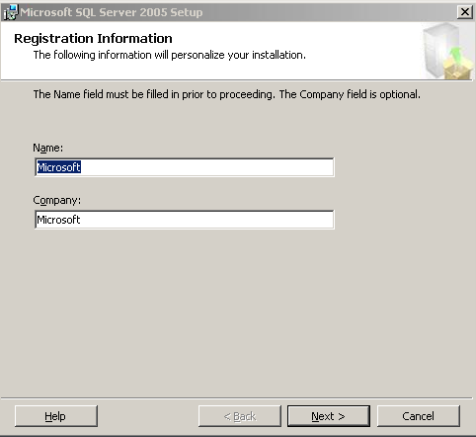
Click on next, we can have below different components to choose.
SQL server is installed on windows server and sql have below components.
-

- image0101
-
- image009
We can install 50 sql server instances w.r.t edition and version
Each and every successful installations are called instances
We can have 50 unique instances in the one OS
If we have default instance, the instance name is same as machine name

SSIS and Work station components can be shared among 50 instances.
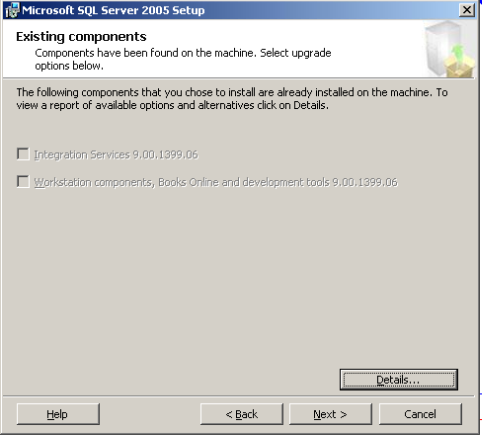
Click on next, you will get below window

Based on the components we have selected for installation we can have the services that needs to be started at the end of installation
Sql browser component will always run on the network security account not on the local system account
Click on next, we can have the authentication types,
Windows authentication- only windows users can login
Sql server authentication- non windows user can login

If you have both type of users, select mixed mode else select windows authentication mode
Click on next, we have collation settings windows, using this we can give the case sensitivity and ascending /descending order
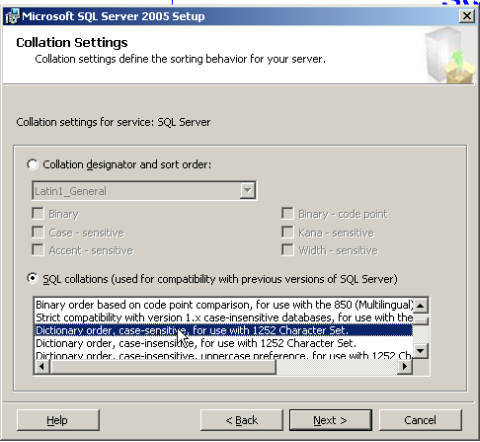
Sql server will have 31 languages support, it is default supporting Latin language
Click on next,
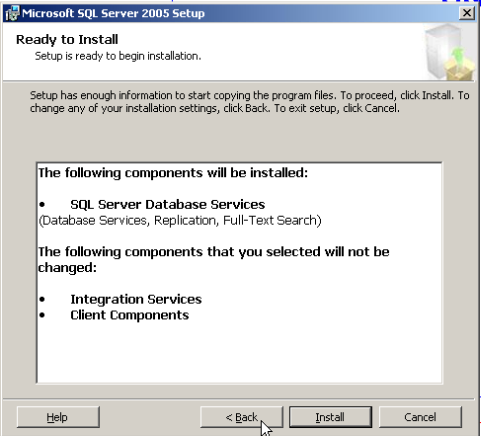
Click on install. It will install the sql server on your machine.
For 2008 installation, Please watch the below video
( Courtesy : Rick Morlean)
Please check and let us know if you have any concerns on this.
Thanks for viewing this.
Regards,
Chaitanya
Visit site: http://www.sqlblogging.com
Send an Email: sqlblogging@outlook.com


 SQL BLOGGING