Hi folks,
When I am searching in MSDN , I found this and posting this in the blog.
To hide system objects in Object Explorer
On the Tools menu, click Options.

On the Environment/General page, select Hide system objects in Object Explorer, and then click OK.
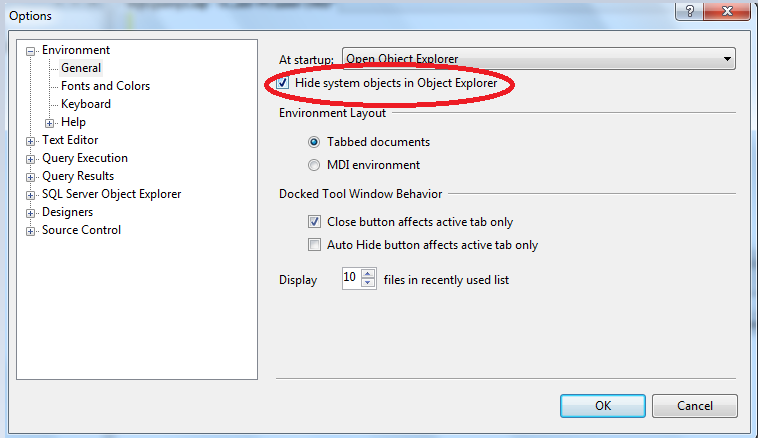
In the SQL Server Management Studio dialog box, click OK to acknowledge that SQL Server Management Studio must be restarted for this change to take affect.
Close and reopen SQL Server Management Studio.
Thanks for viewing
Regards,
Chaitanya
Visit site: https://mssqlbuzz.wordpress.com
Send an Email : mssqlbuzz

 SQL BLOGGING